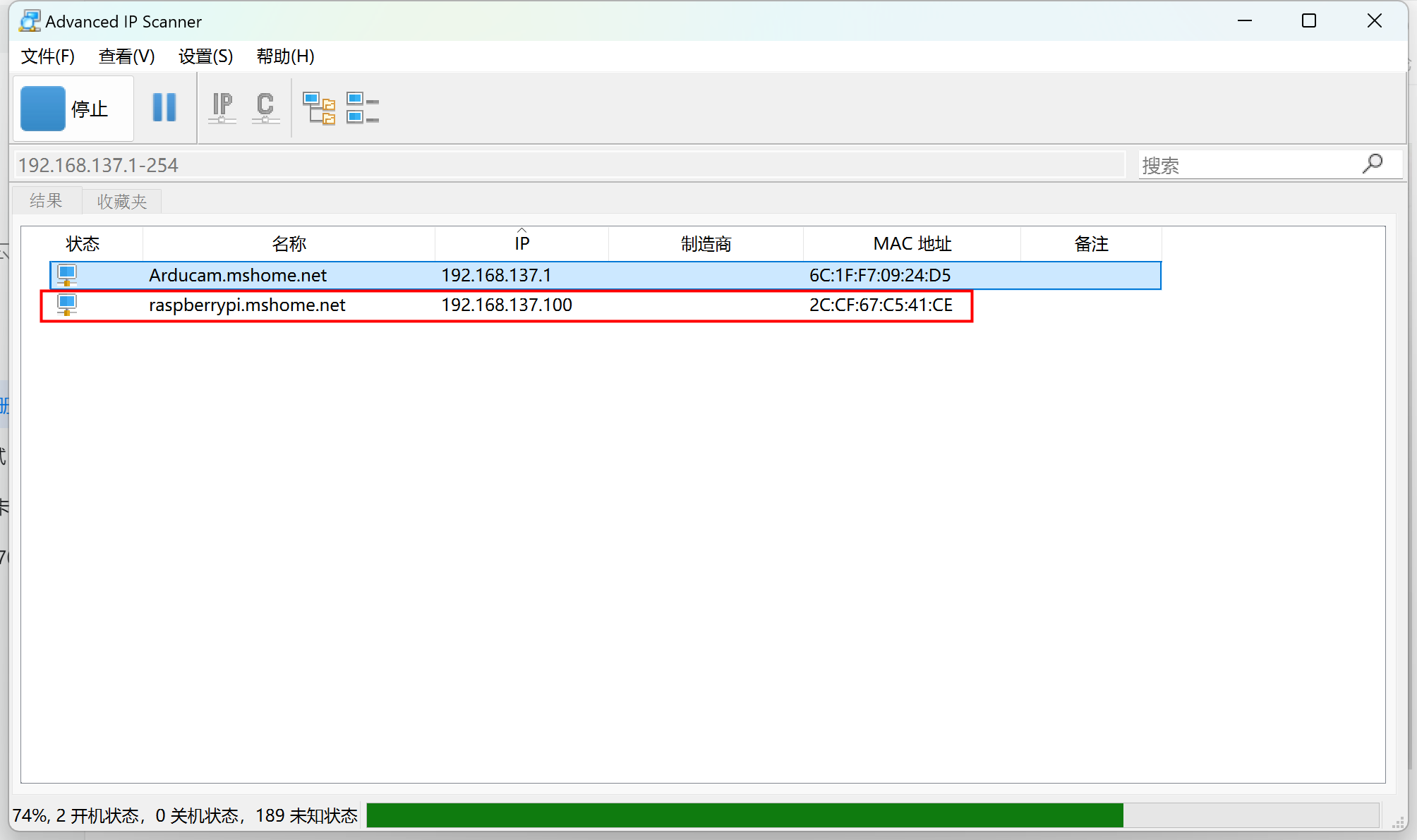
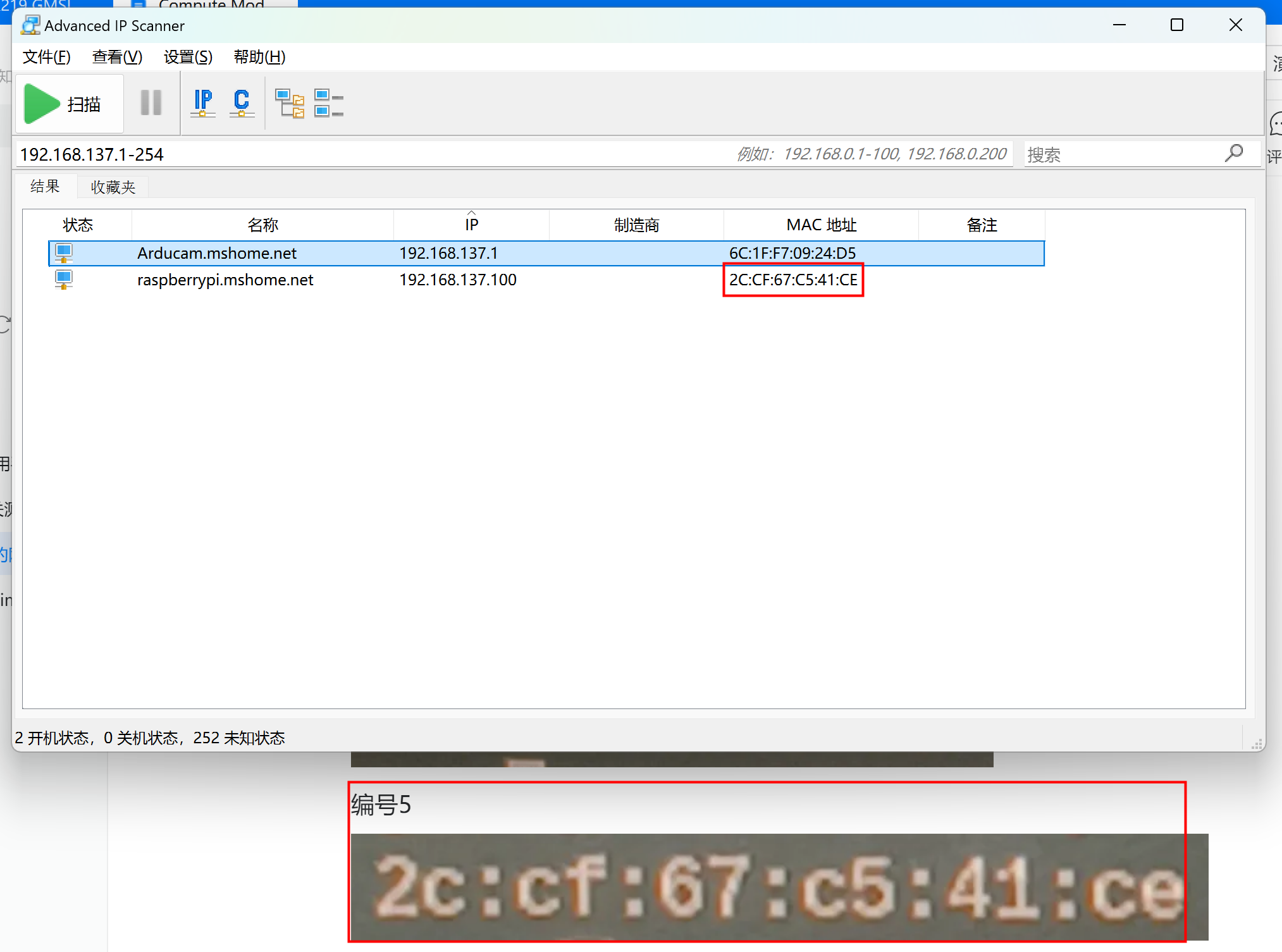
Advanced IP Scanner
IP Address Scanning Tool
Download
Advanced_IP_Scanner_2.5.4594.1.exe
Check the Ethernet Adapter IP Address
- Click Start.
- Enter
cmdin the search box. - Open Command Prompt.
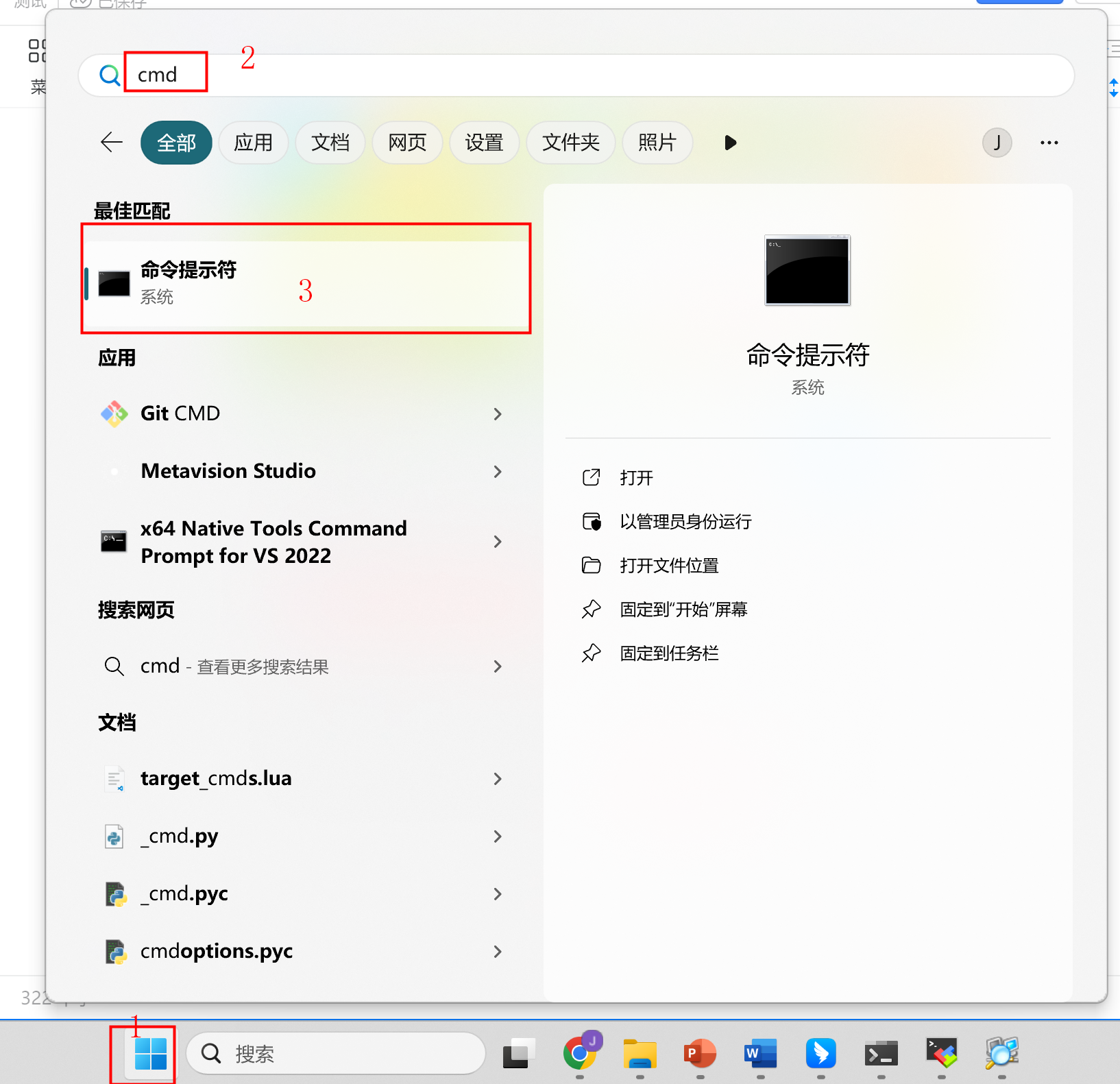
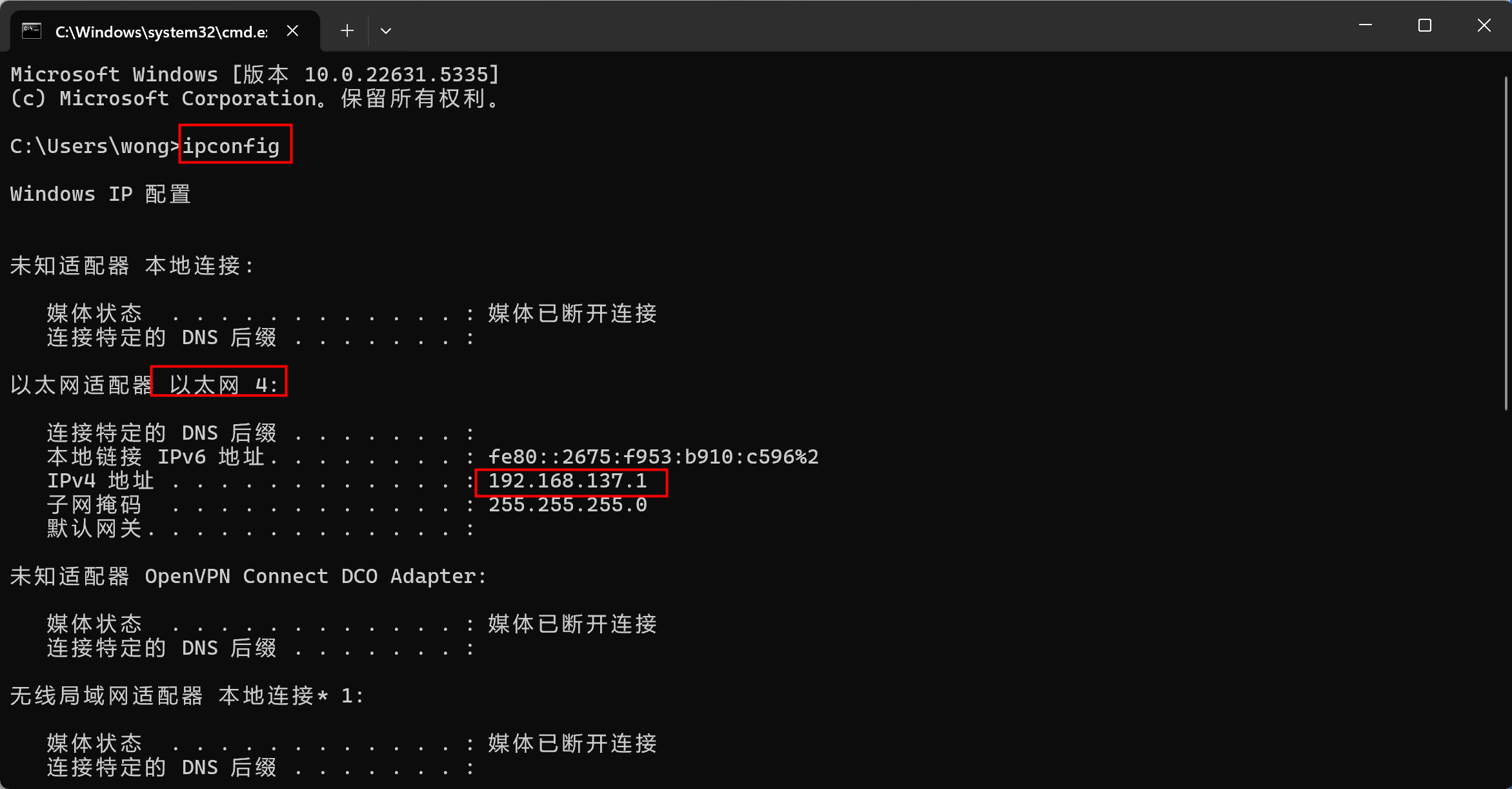
Enter the following command:
ipconfig
Check the IP address assigned to the Ethernet adapter. In this example, the IP address is:
192.168.137.1
Install and Run the IP Address Scanning Tool
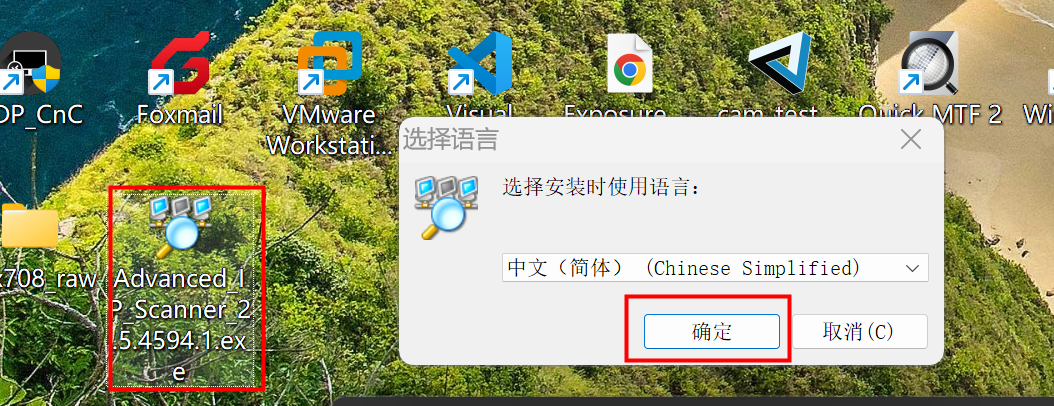
- Double-click Advanced IP Scanner.
- Click OK when prompted.
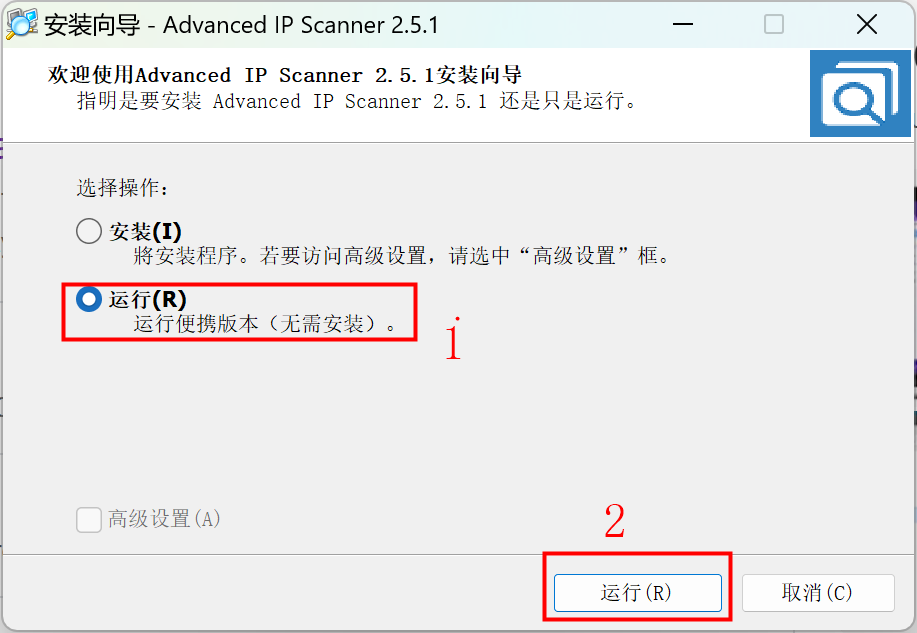
- Click Run to launch the application.
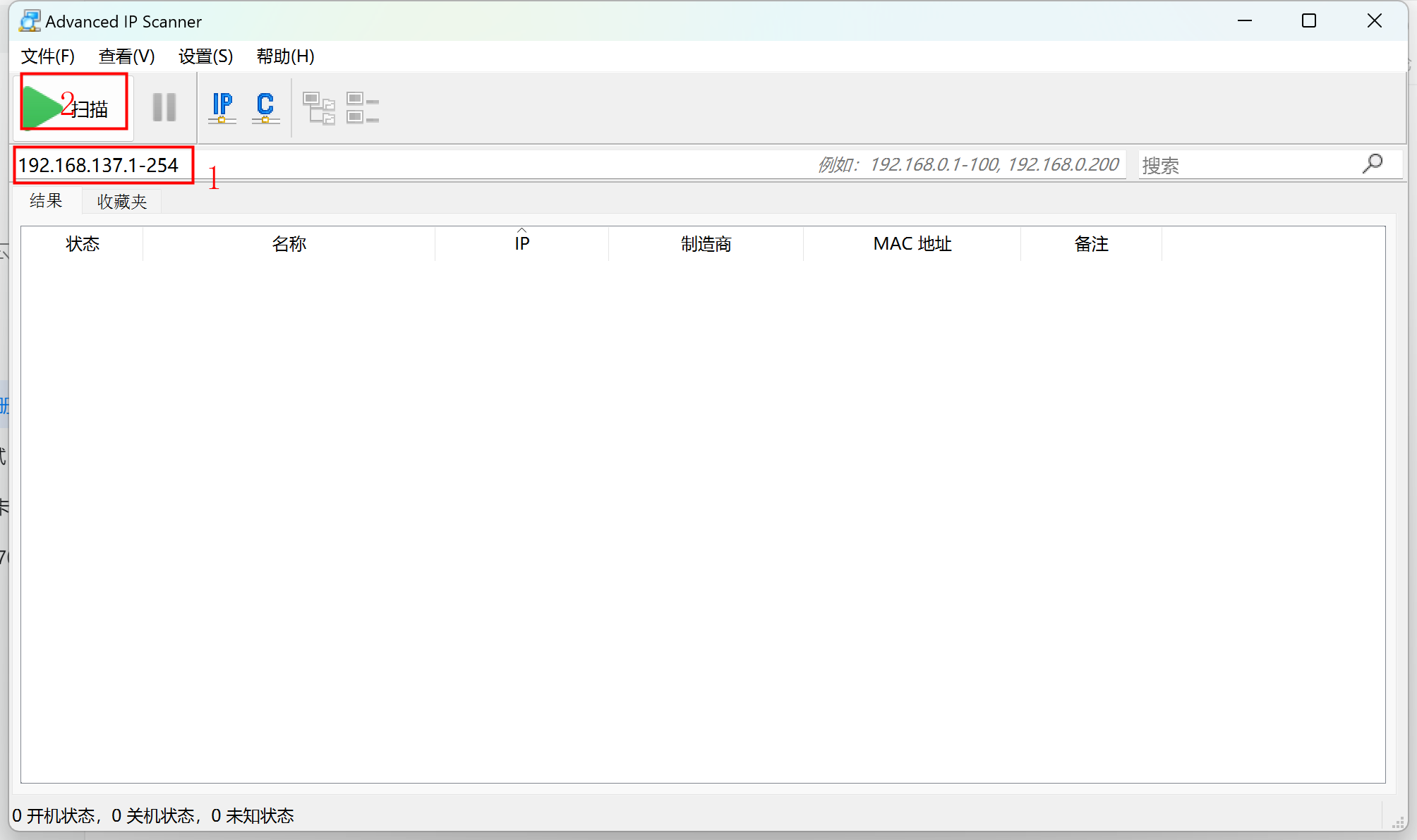
In the scan address field, enter the following IP address range:
192.168.137.1-254
Then click Scan.
Identify the All-in-One Kit Device
Note
The following identify steps are based on the Arducam B0581 - IMX500 AI All-in-one Camera Kit.
After the scan is complete, locate the target device in the scan results.
Compare the device's physical MAC address with the MAC address shown on the label on the back of the all-in-one kit device:
MAC: XXXXXXXXXXXX
Using the MAC address to identify the device, the IP address of the IMX500 all-in-one device in this example is:
192.168.137.100